
Getting Started
How to import trades
Settings
Basic Settings
Trading Accounts
Notes Templates
Trade Grouping Method
Risk Settings
Tags Management
Subscription
Pages
Dashboard Layout
Reports
Trades Page
Journal
Reference
Metrics Glossary
Using Filters
Getting Started
Datrade is a trading journal that enriches your trade history with real market data — indicators, volume, session context, fundamentals — and turns it into actionable analytics. Import your broker executions once; everything else builds on top of that data.
First steps
1. Import your trades. Go to Trades → Import and upload an export file from your broker. Processing takes a few minutes. All pages stay empty until at least one import is complete.
2. Configure basic settings. Set your base currency and timezone before reviewing any numbers — these affect how all values are displayed.
Pages
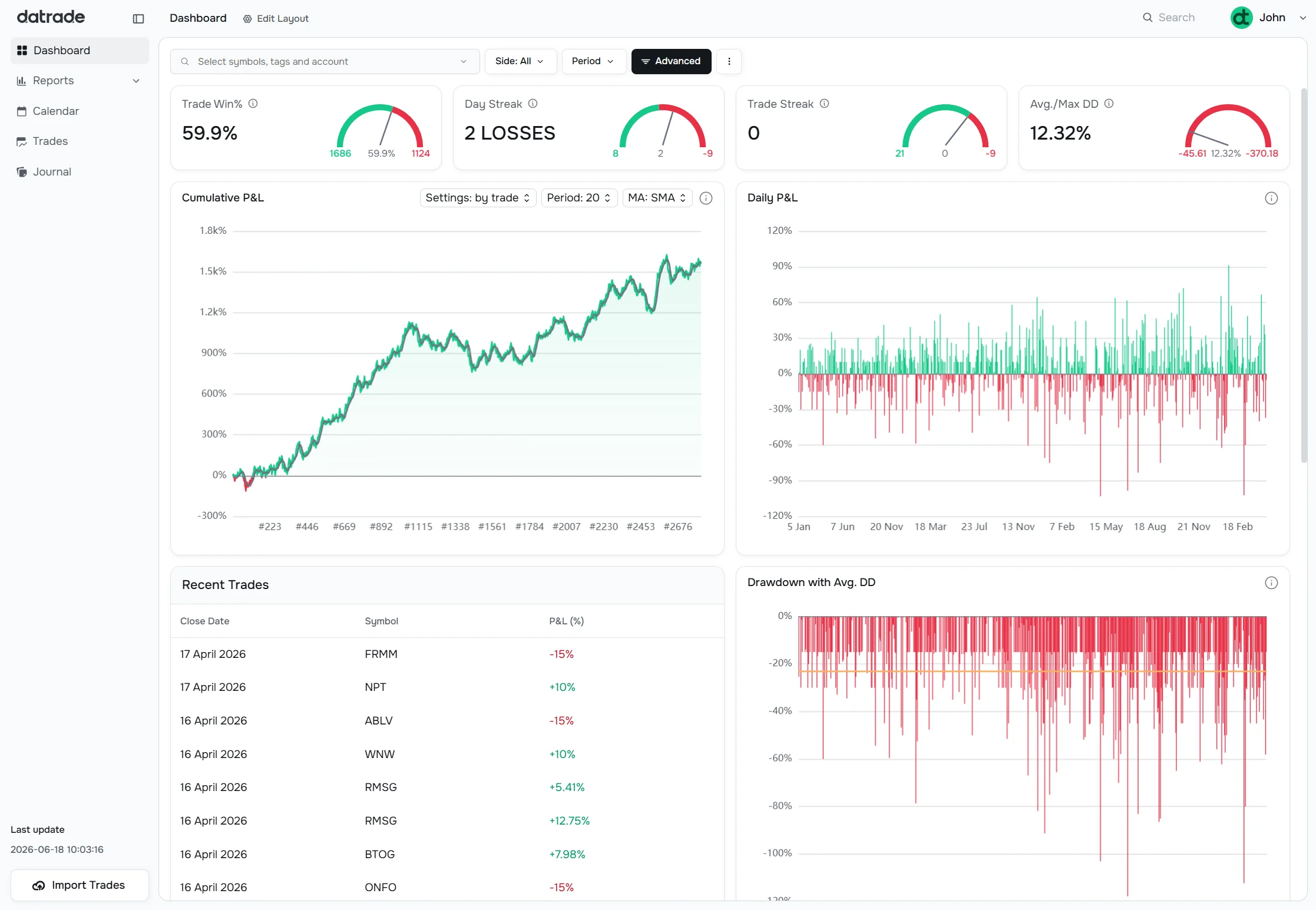
Dashboard — a customizable widget grid. Add, remove, and reorder widgets to build the view that matters to you. Supports 16 small stat cards and 14 large chart widgets.
Trades — the full table of all your closed and open positions. Click any row to open trade detail with stats, charts, and executions. Supports bulk tagging, CSV export, and manual trade entry.
Reports — five analysis sub-pages: Overview (P&L curves, win rate, performance map), Detailed (full stats table + chart tabs by dimension), Compare (two data slices side by side), Tag Breakdown (per-tag equity curves and performance map), and Insights (Pivots and Scatter plots — Pro).
Journal — day-by-day log with stats, running P&L chart, and a note area per trading day. Switch between Days and Weeks view. Export any card as PNG or PDF.
Calendar — monthly heatmap of daily P&L. Click a day to see its trades. No separate configuration needed.
Settings
| What to configure | Guide |
|---|---|
| Base currency, timezone, date and time format | Basic Settings |
| Trading accounts | Trading Accounts |
| Note templates | Notes & Templates |
| Trade grouping method (FIFO / LIFO / Merge) | Trade Grouping Method |
| Automatic initial risk rules | Risk Settings |
| Tags and tag categories | Tags Management |
| Plan and billing | Subscription |
Reference
Using Filters — the filter bar appears on every data page. Covers date range, symbols, tags, accounts, side, P&L display mode, and the full advanced filter panel with all seven sections.
Metrics Glossary — definitions for every metric shown in Reports → Detailed, on the Trade Detail page, and on the Dashboard widgets.
How to import trades
Basic Settings
Trading Accounts
Notes Templates
Trade Grouping Method
Risk Settings
Tags Management
Subscription
Dashboard Layout
Reports
Trades Page
Journal
Metrics Glossary
Using Filters
Have a question?
Let us help!
To get the best response, follow these steps when submitting your request:
Be Clear
Briefly describe the issue and any key details, like the feature used or an error message
Add Context
Explain what you were trying to do and what led to the issue
Attach a Screenshot (Optional)
A visual reference can speed up troubleshooting
We'll review your request and get back to you soon!
Get latest updates
on Datrade
Disclaimer: Datrade is not an investment advisor or signal provider. All market data and analytics are provided for informational purposes only and do not constitute financial advice or trading recommendations. Past performance is not indicative of future results, and no performance outcomes are guaranteed. Users are solely responsible for their trading decisions and actions; Datrade accepts no liability for any losses incurred from use of our data or content. Use of this site constitutes acceptance of our Terms of Service and Risk Disclosure.