
Back
Basic Settings
Base Currency
Timezone
Time Format
Date Format
First Day of the Week
Show Extended Hours Data
Back
Basic Settings
All basic display settings live in Settings → User Account, in the section below the profile fields.
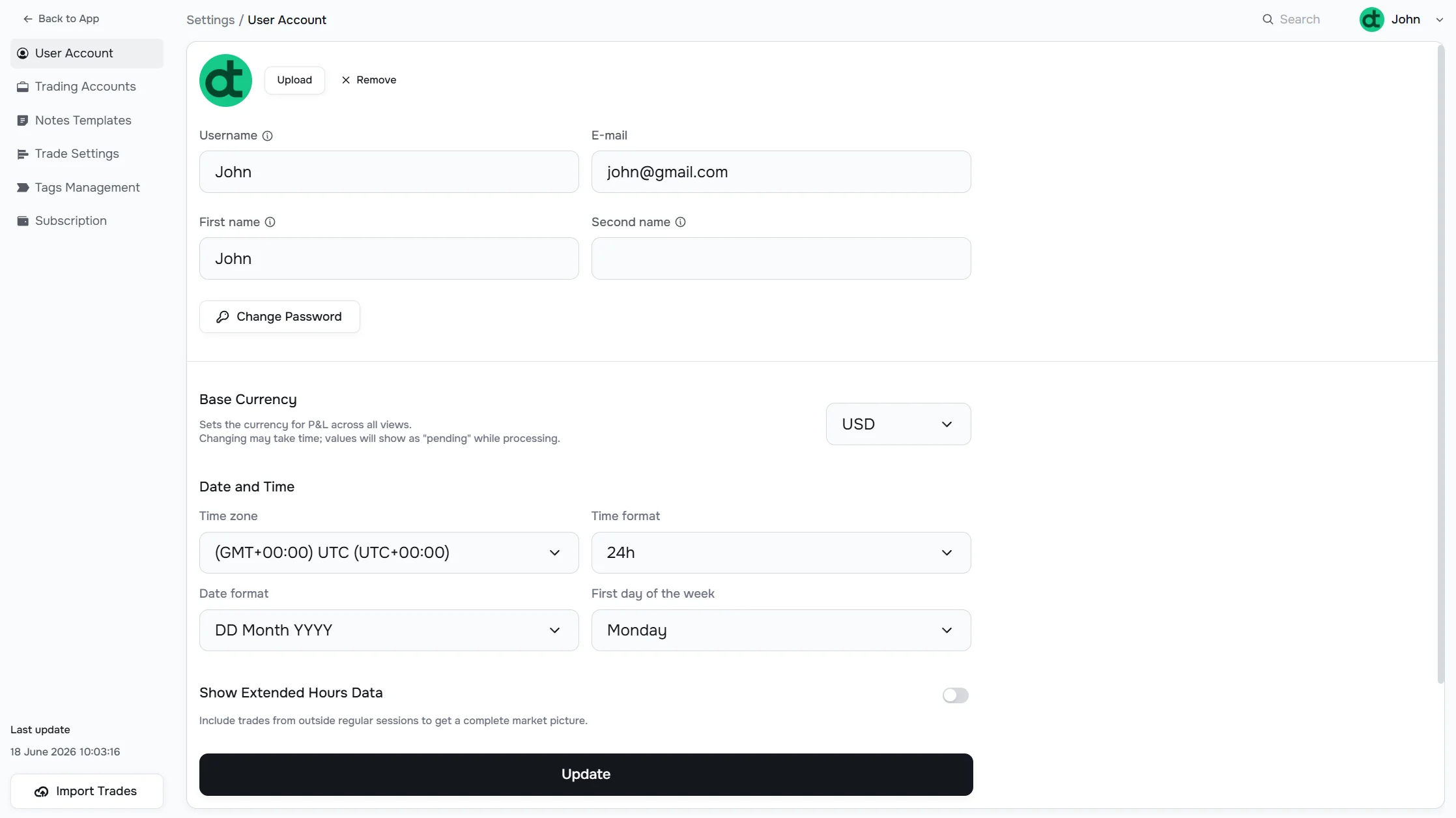
Base Currency
Sets the currency used for P&L values across all views and reports. Default is USD.
To change it, click the Base Currency dropdown and select a new currency, then click Update.
Changing the base currency triggers a background recalculation. While it runs, monetary values will display as "pending". This may take several minutes depending on how many trades you have.
Timezone
The Time zone setting controls how trade timestamps are interpreted. All your trade data is bucketed by day according to this timezone, so it affects which calendar day a trade appears on.
Set this to your local timezone or the timezone your broker reports trades in — whichever matches your trading session.
Time Format
Choose between 12h (AM/PM) and 24h display. This affects timestamps throughout the app.
Date Format
Controls how dates are displayed. Options include YYYY-MM-DD, MM/DD/YYYY, DD/MM/YYYY, and others. Pick whichever matches your preference.
First Day of the Week
Determines which day is treated as the start of a week in the Calendar view and weekly breakdowns in Reports. Options are Sunday and Monday.
Show Extended Hours Data
When enabled, trades executed outside regular market hours (pre-market and after-hours) are included in all analytics. When disabled, those trades are filtered out.
After changing any of these settings, click Update at the bottom of the page to save.
Have a question?
Let us help!
To get the best response, follow these steps when submitting your request:
Be Clear
Briefly describe the issue and any key details, like the feature used or an error message
Add Context
Explain what you were trying to do and what led to the issue
Attach a Screenshot (Optional)
A visual reference can speed up troubleshooting
We'll review your request and get back to you soon!
Get latest updates
on Datrade
Disclaimer: Datrade is not an investment advisor or signal provider. All market data and analytics are provided for informational purposes only and do not constitute financial advice or trading recommendations. Past performance is not indicative of future results, and no performance outcomes are guaranteed. Users are solely responsible for their trading decisions and actions; Datrade accepts no liability for any losses incurred from use of our data or content. Use of this site constitutes acceptance of our Terms of Service and Risk Disclosure.