
Back
Notes Templates
What are notes?
What are notes templates?
Creating a template
Using a template
Back
Notes Templates
What are notes?
Notes are free-text annotations attached to trades or trading days. They let you record context that numbers alone can't capture — your reasoning, emotional state, market conditions, or post-trade reflections.
Notes appear in two places:
- Journal — each trading day has a note field for daily reflections
- Individual trades — each trade has its own note field in the trade detail panel
What are notes templates?
Templates are reusable text snippets that pre-fill the note field when you create a trade manually. Instead of typing the same structure every time, you can build a template once and apply it in one click.
For example, you might have a template like:
Setup:
Entry reason:
Exit reason:
Mistakes:
Creating a template
Go to Settings → Notes Templates and click Add Template.
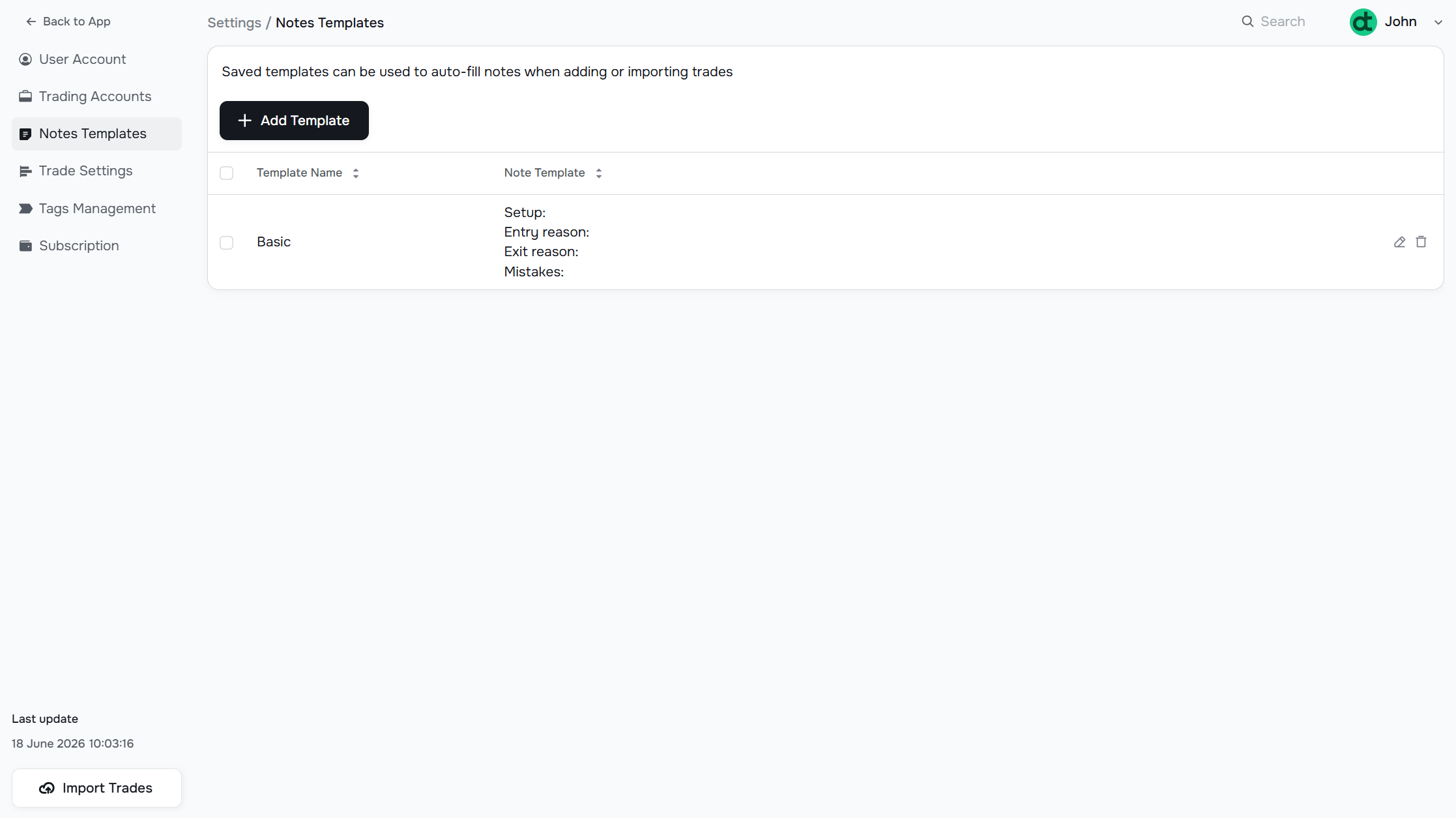
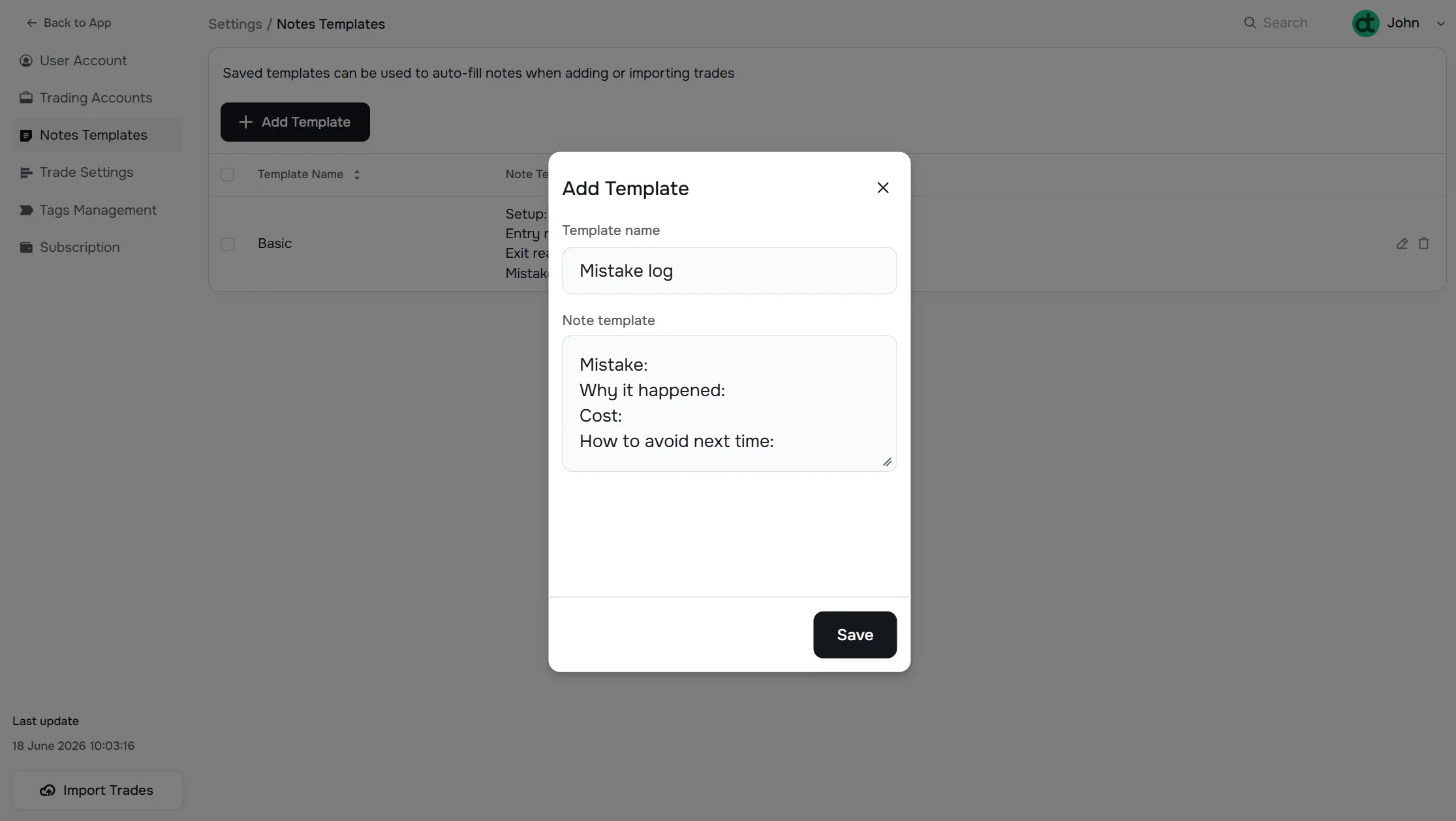
Fill in:
- Template Name — a short label to identify the template in the dropdown (e.g., "Short Squeeze Setup")
- Note Template — the actual text that will be pre-filled
Using a template
Templates are available wherever a Note field appears in the app — on individual trade detail pages, Journal cards, and other note sections. Click + Add Template to open the template picker and apply your predefined structure in one click.
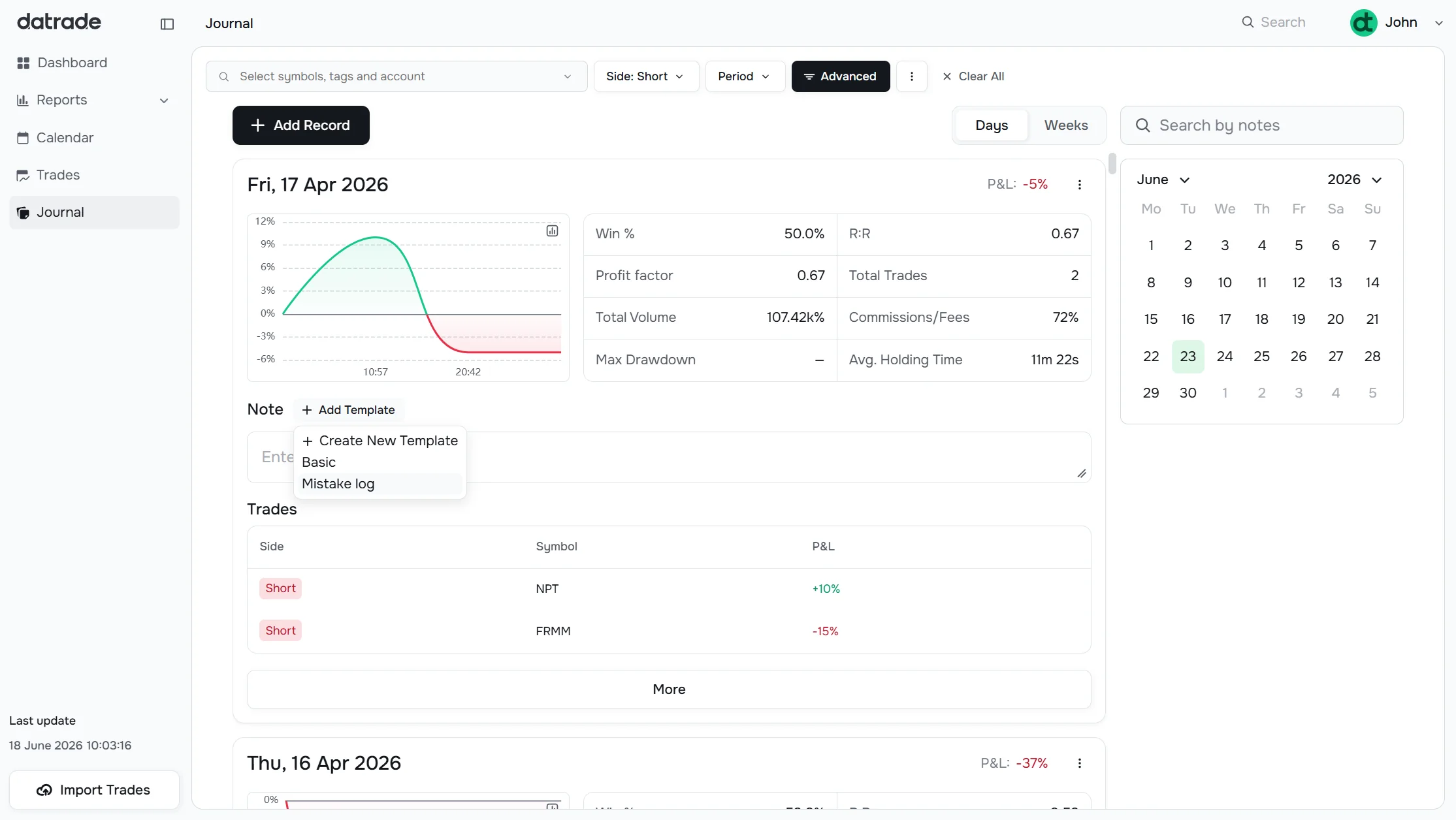
You can edit the pre-filled text after applying a template — it's just a starting point.
Have a question?
Let us help!
To get the best response, follow these steps when submitting your request:
Be Clear
Briefly describe the issue and any key details, like the feature used or an error message
Add Context
Explain what you were trying to do and what led to the issue
Attach a Screenshot (Optional)
A visual reference can speed up troubleshooting
We'll review your request and get back to you soon!
Get latest updates
on Datrade
Disclaimer: Datrade is not an investment advisor or signal provider. All market data and analytics are provided for informational purposes only and do not constitute financial advice or trading recommendations. Past performance is not indicative of future results, and no performance outcomes are guaranteed. Users are solely responsible for their trading decisions and actions; Datrade accepts no liability for any losses incurred from use of our data or content. Use of this site constitutes acceptance of our Terms of Service and Risk Disclosure.